CATEGORIES
How to Publish Course Changes?
When you make changes to your course, they're not automatically published. We want to give you as much time as you need to make all the adjustments you need. When your course update is ready, you can publish it with a single click.
Publishing course changes
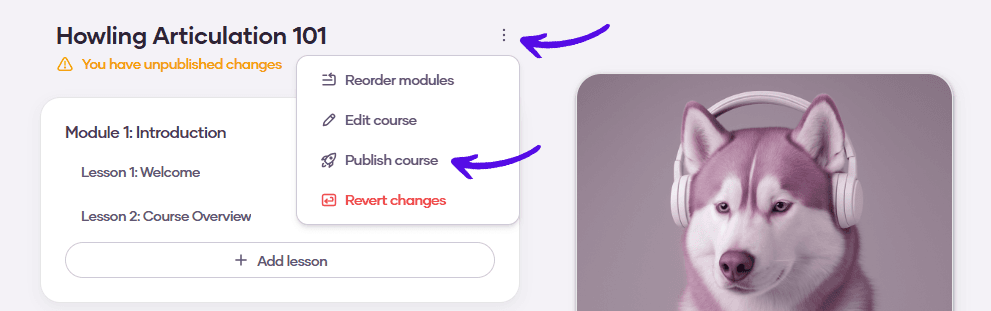
1. On your course page, click on the three dots and then hit Publish course