CATEGORIES
How to Create a Course?
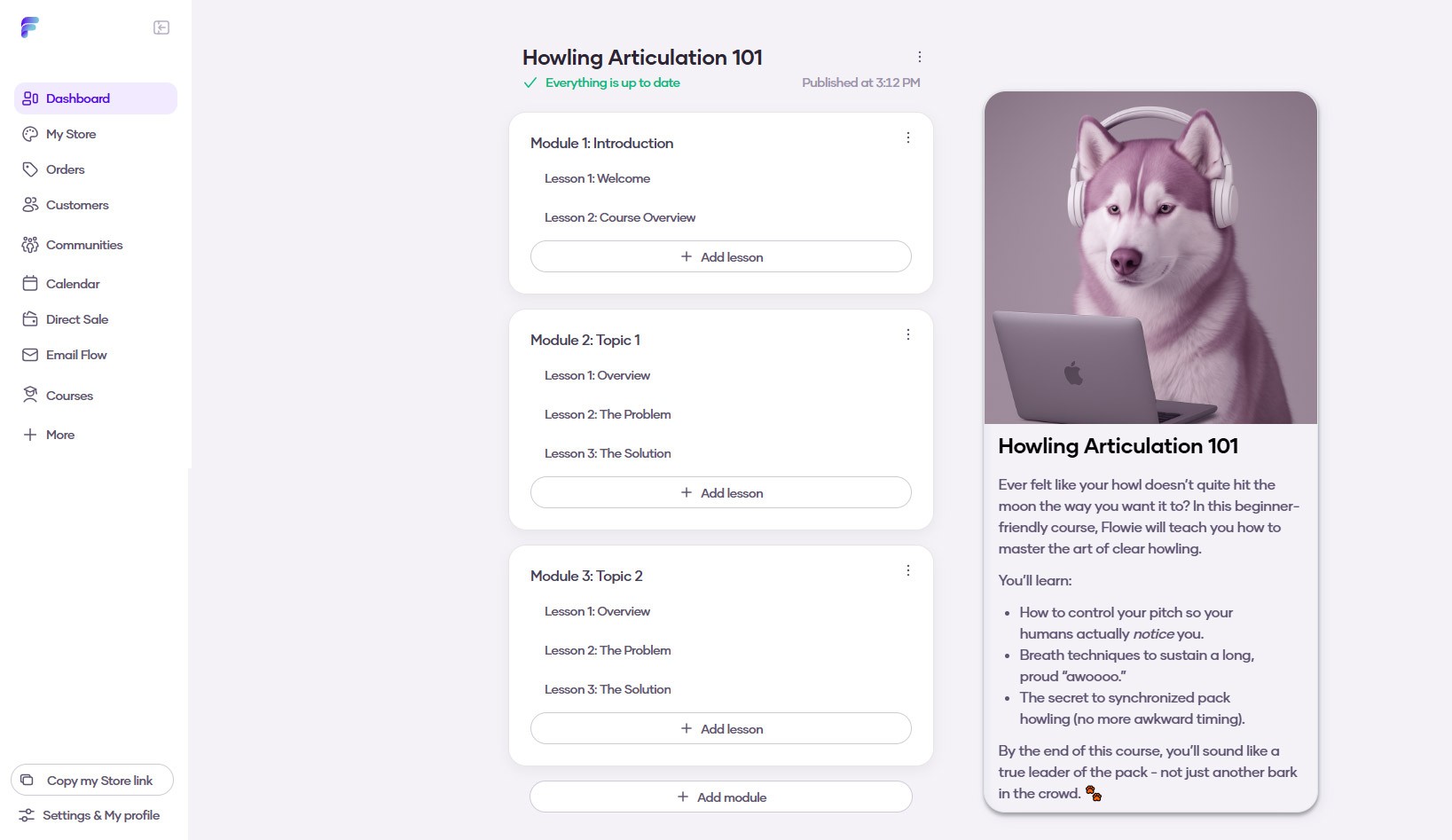
You can host and sell your online courses right on Flowlance! Here's how easy it is to add one.
Creating a course
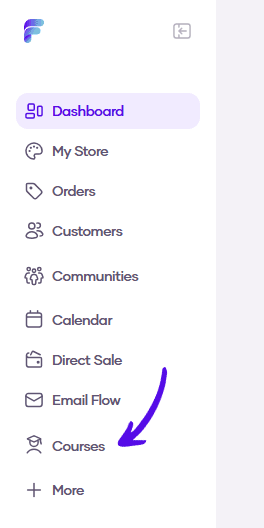
1. Go to Courses in the left sidebar menu
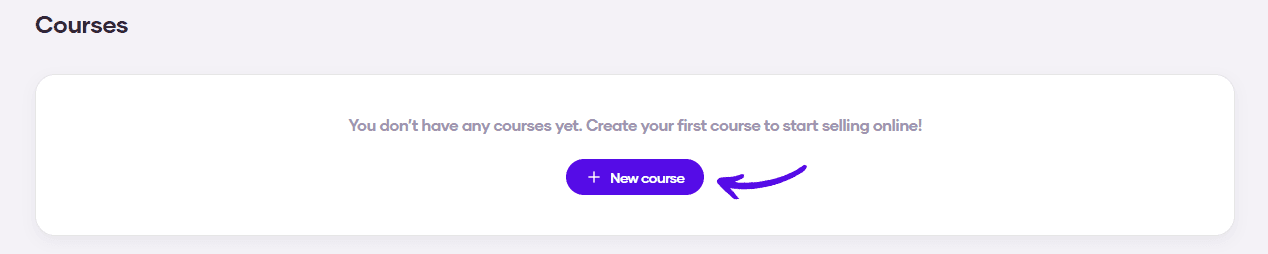
2. Click on the New course button
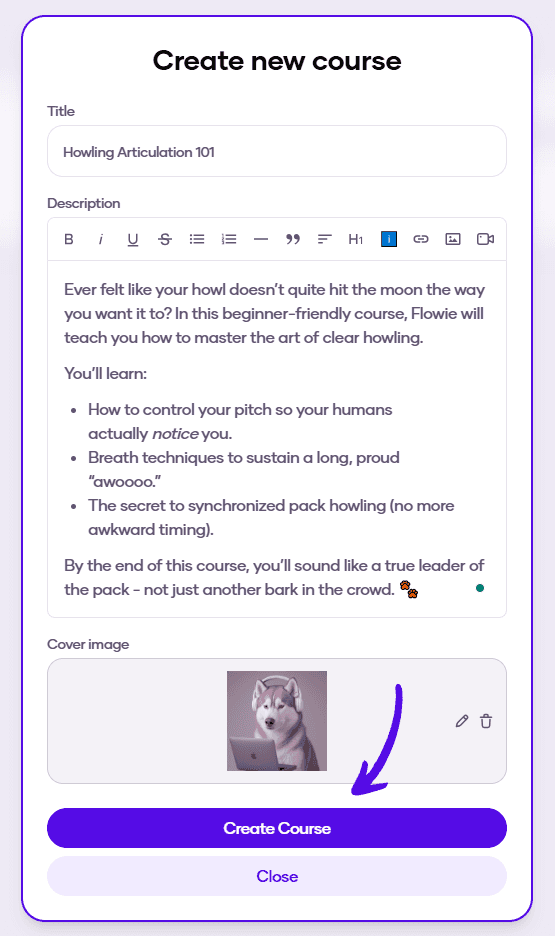
3. Enter the basic information about your course, upload a cover image, and hit Create Course
4. Your course was created