How to Set Up Email Sequences?
Flowlance enables you to easily set up automated email sequences that will distribute your emails without you lifting a finger.
Setting up email sequences
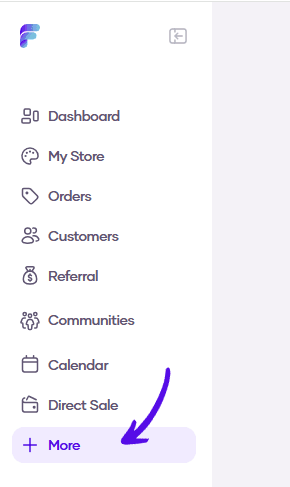
1. Go to More in the left sidebar menu
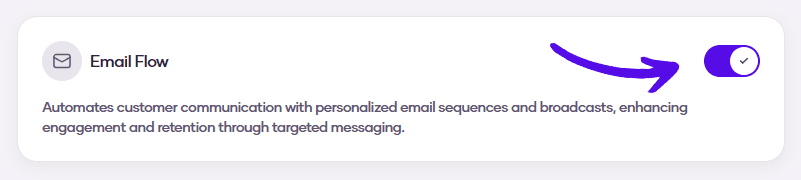
2. Turn on the Email Flow switch
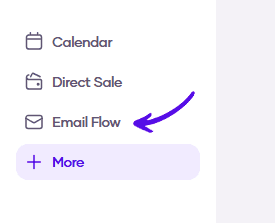
3. Go to Email Flow in the left sidebar menu
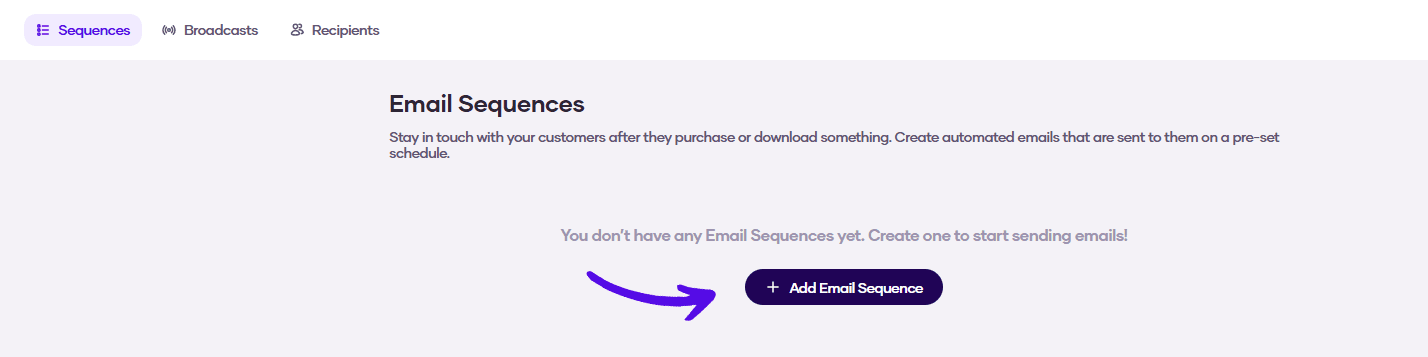
4. Click on the Add Email Sequence button
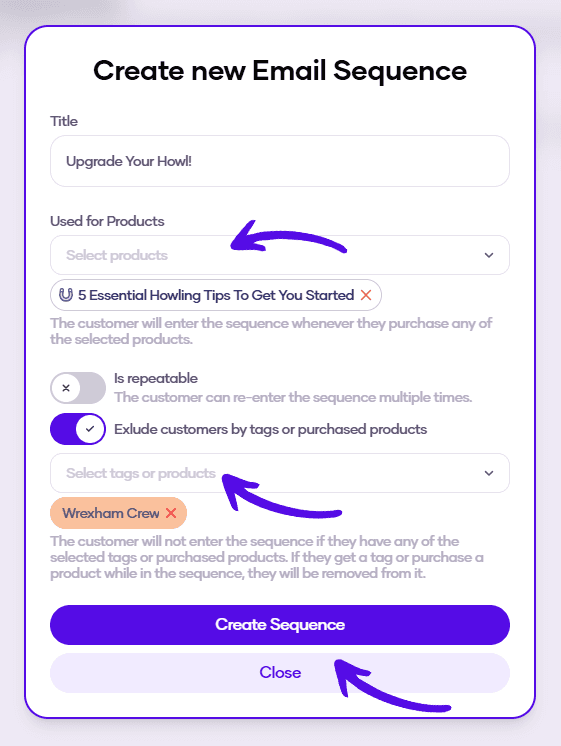
5. Enter the details of your new email sequence. You can choose which customers will receive it based on their purchases.
If you want to enable customers to receive emails from this sequence more than once, turn on the Is repeatable switch.
You can also choose which customers will be excluded from the sequence based on their tags or purchased products.
When you're finished, hit the Create Sequence button
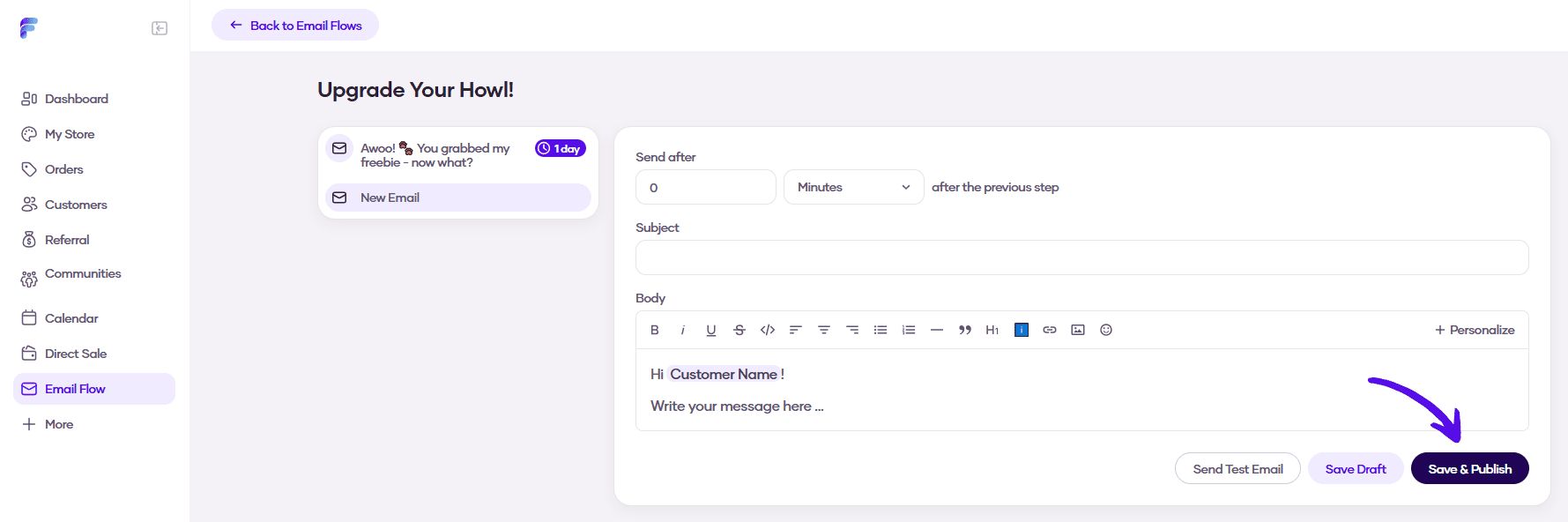
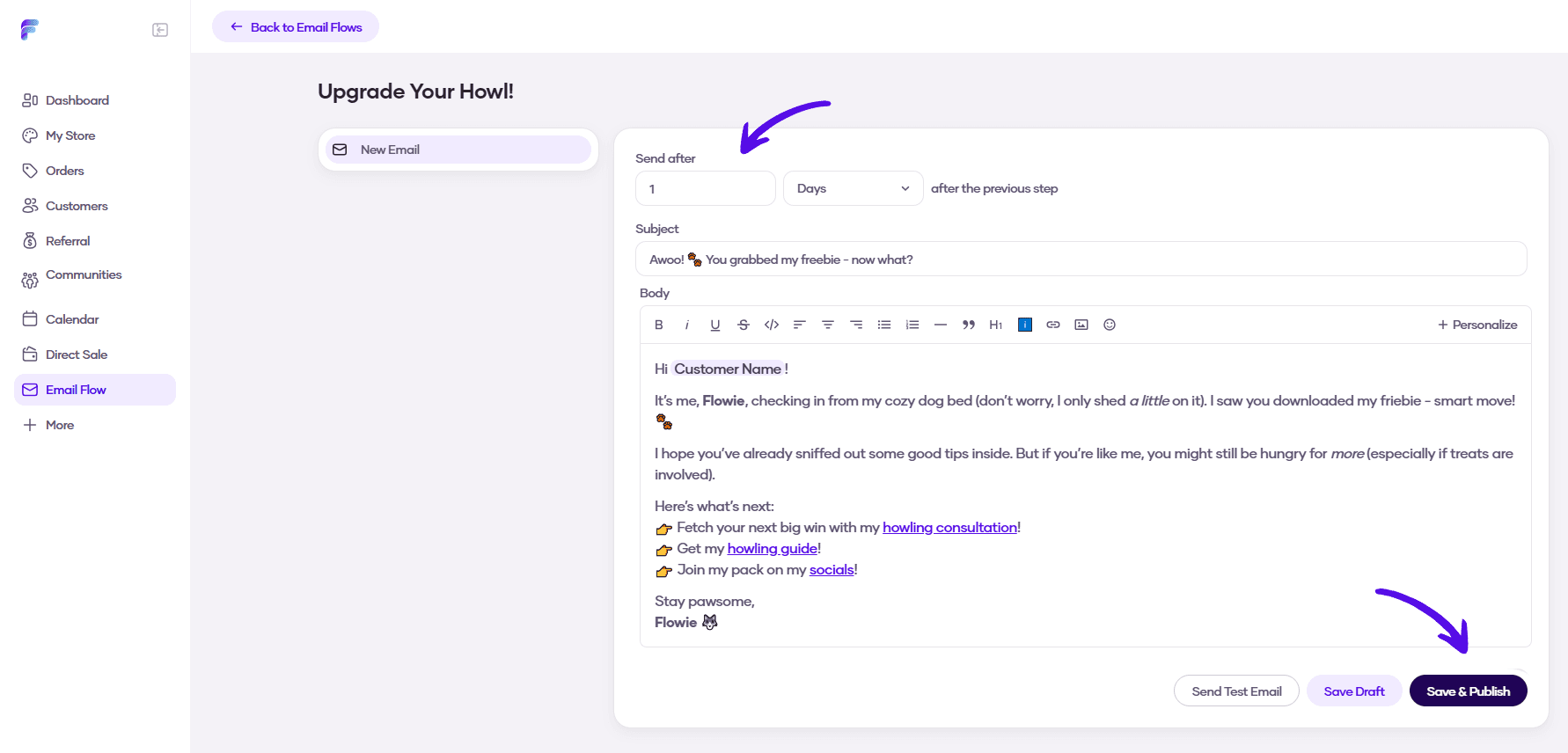
6. Now you can write the first email from your sequence and choose when it will be sent. Then hit Save & Publish
7. If you want to add more emails to your email sequence, just click on Add Step button in the left sidebar
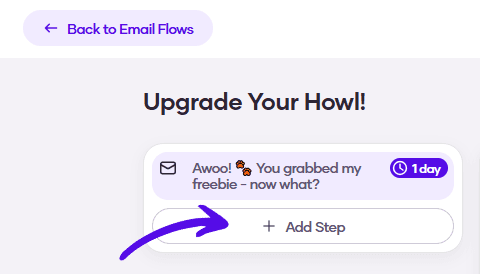
8. Write your email, choose when it's going to be automatically sent, and confirm it by hitting Save & Publish