How to Connect Zapier to Flowlance?
Connect Flowlance with thousands of apps using Zapier!
Connecting Zapier to Flowlance
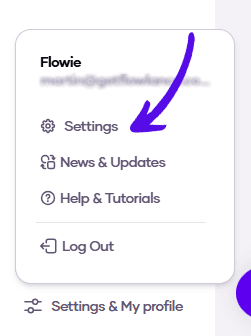
1. At the bottom of the left sidebar, click on Settings & My profile and choose Settings
2. Choose Advanced from the topbar menu

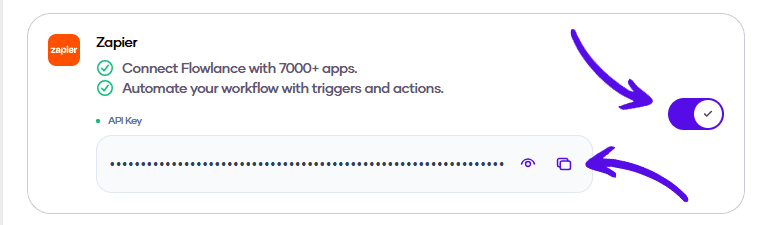
3. Enable the integration by turning on the switch, and copy the API key, which you then have to paste in your Zapier account