How to Activate Appsumo plan?
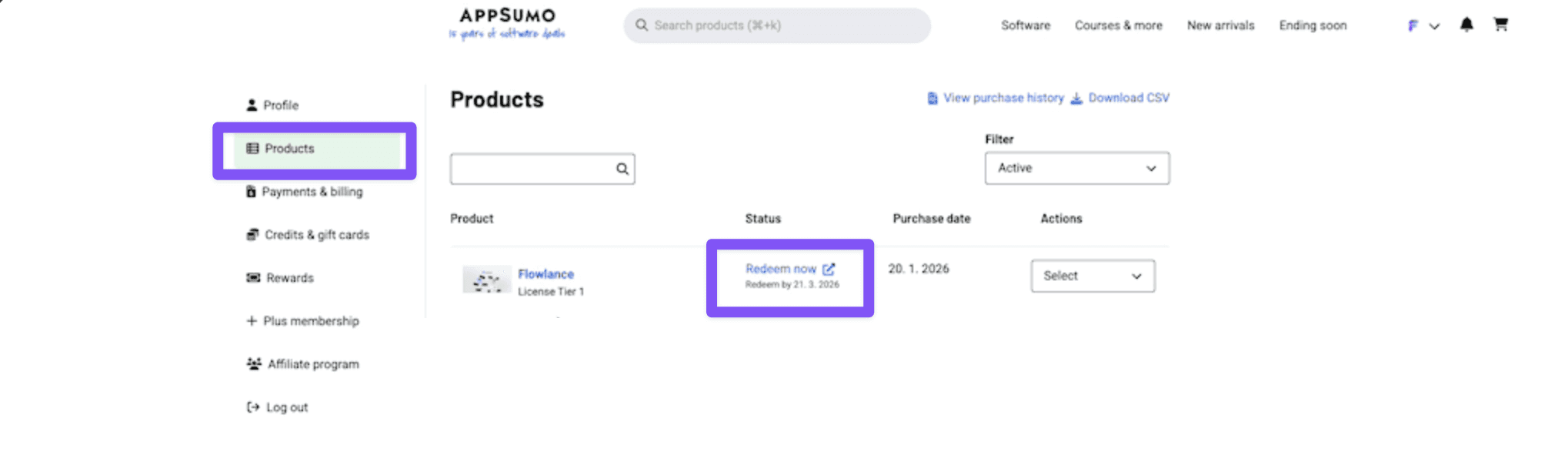
STEP 1: Go to Appsumo > Products
Go to Appsumo account and find your Flowlance purchase and click on Redeem now
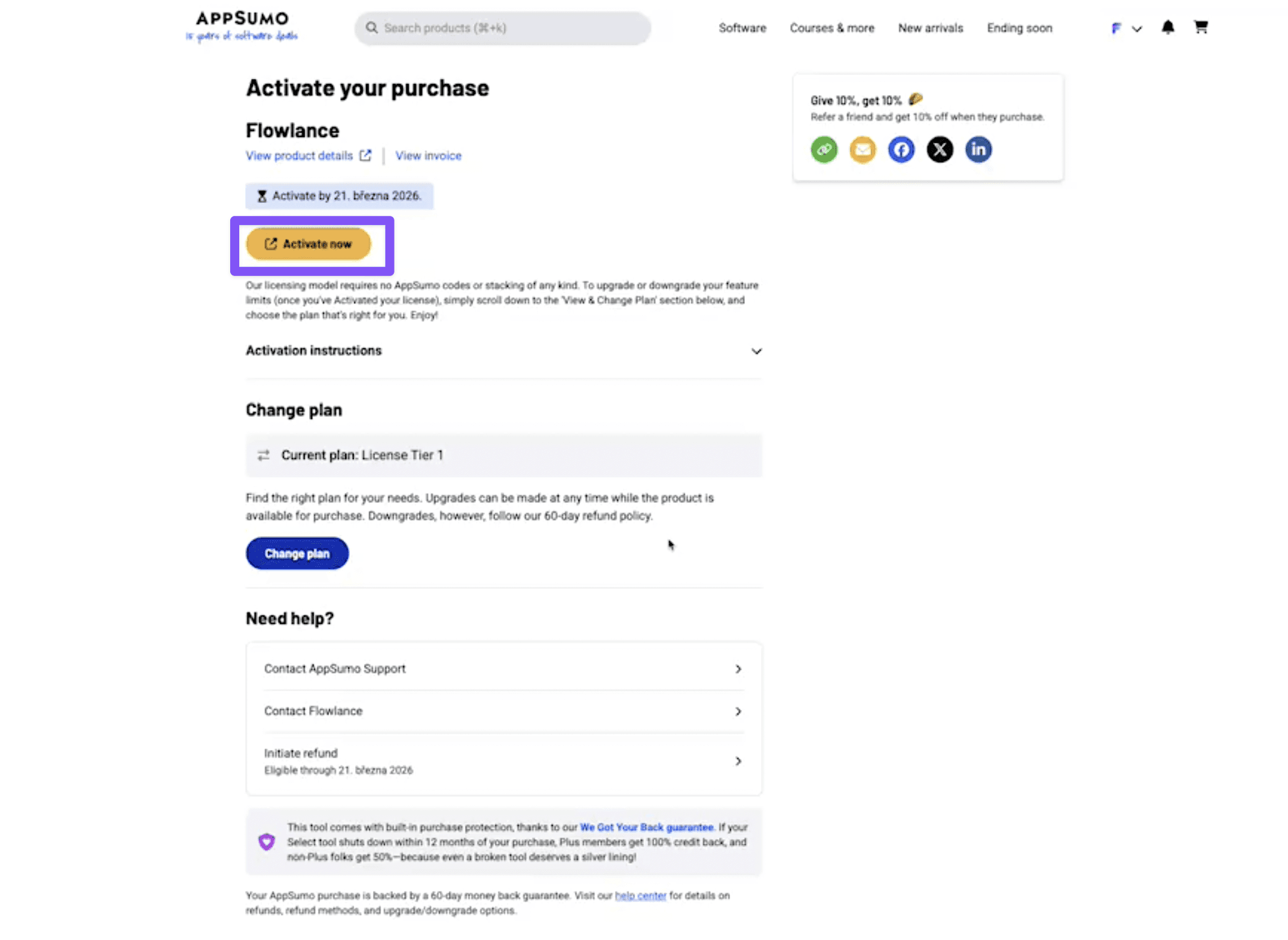
STEP 2: Activate Your Plan in Appsumo
Redeem your Flowlance plan in Appsumo account by clicking on Activate Now
⚠️ Make sure you are logged out of Flowlance ⚠️
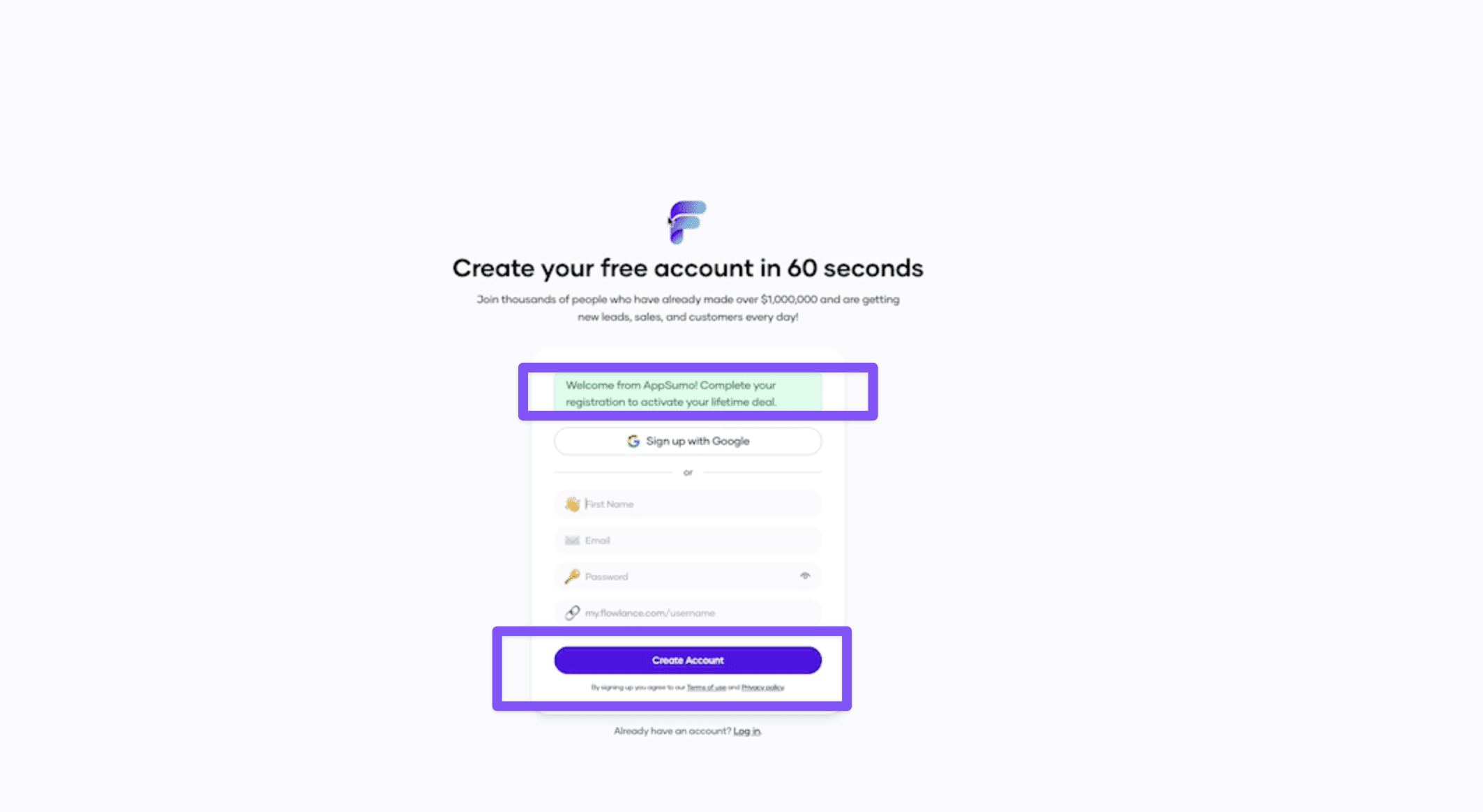
STEP 3: Create Account in Flowlance
Create your account in Flowlance and finish whole activation.
⚠️ DISCLAIMER: This is only valid link that will get you your Appsumo plan. If you already created Flowlance account outside of this link, you need to reach out to support.
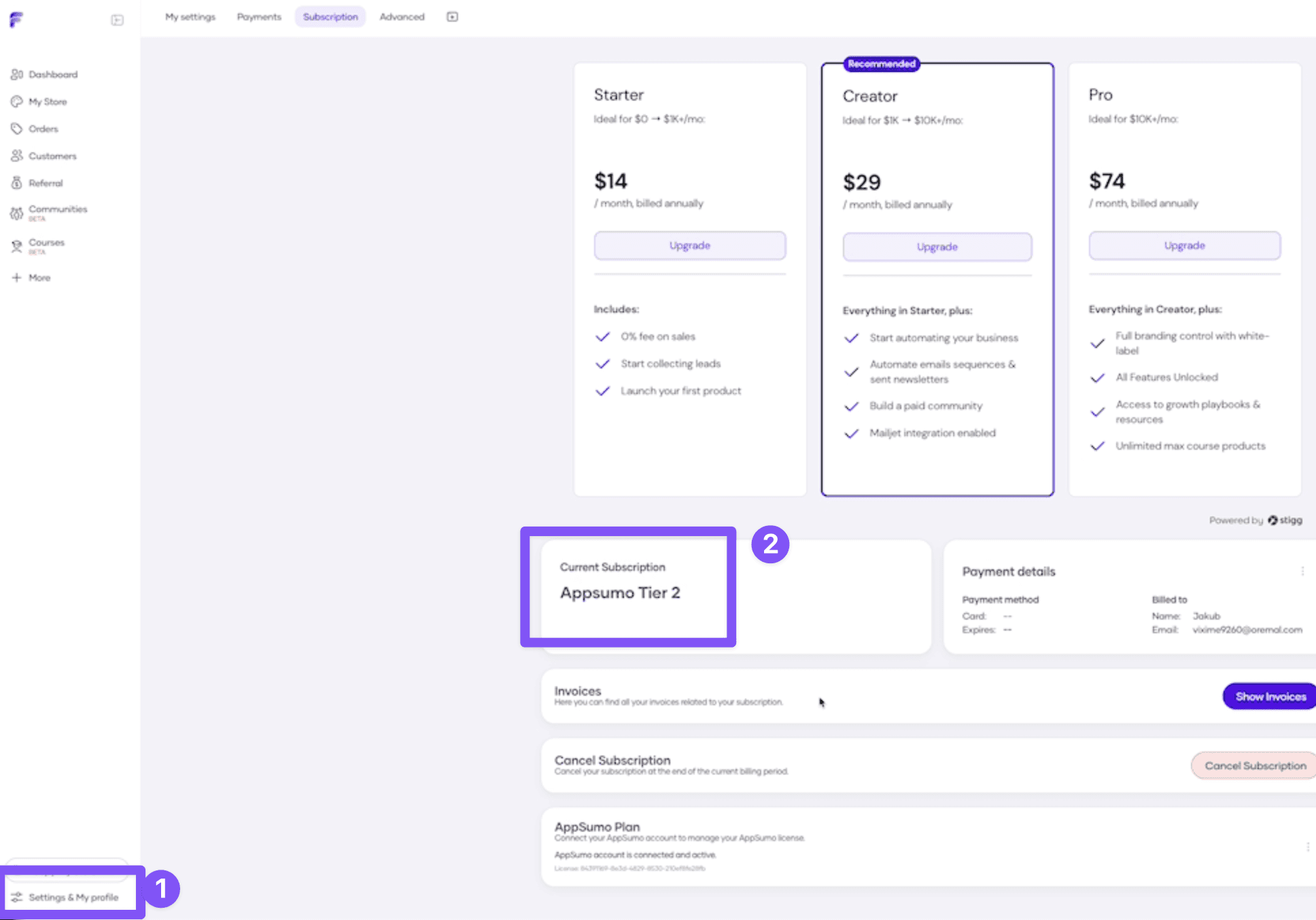
STEP 4: Check the Activation
You can check if your plan was successfully set in Flowlance > Settings > Subscriptions